


The Orders module (Fulfillment > Orders) serves as the centralized hub for monitoring, tracking, and managing all incoming e-commerce orders, manual entries, and seller label fulfillment workflows.
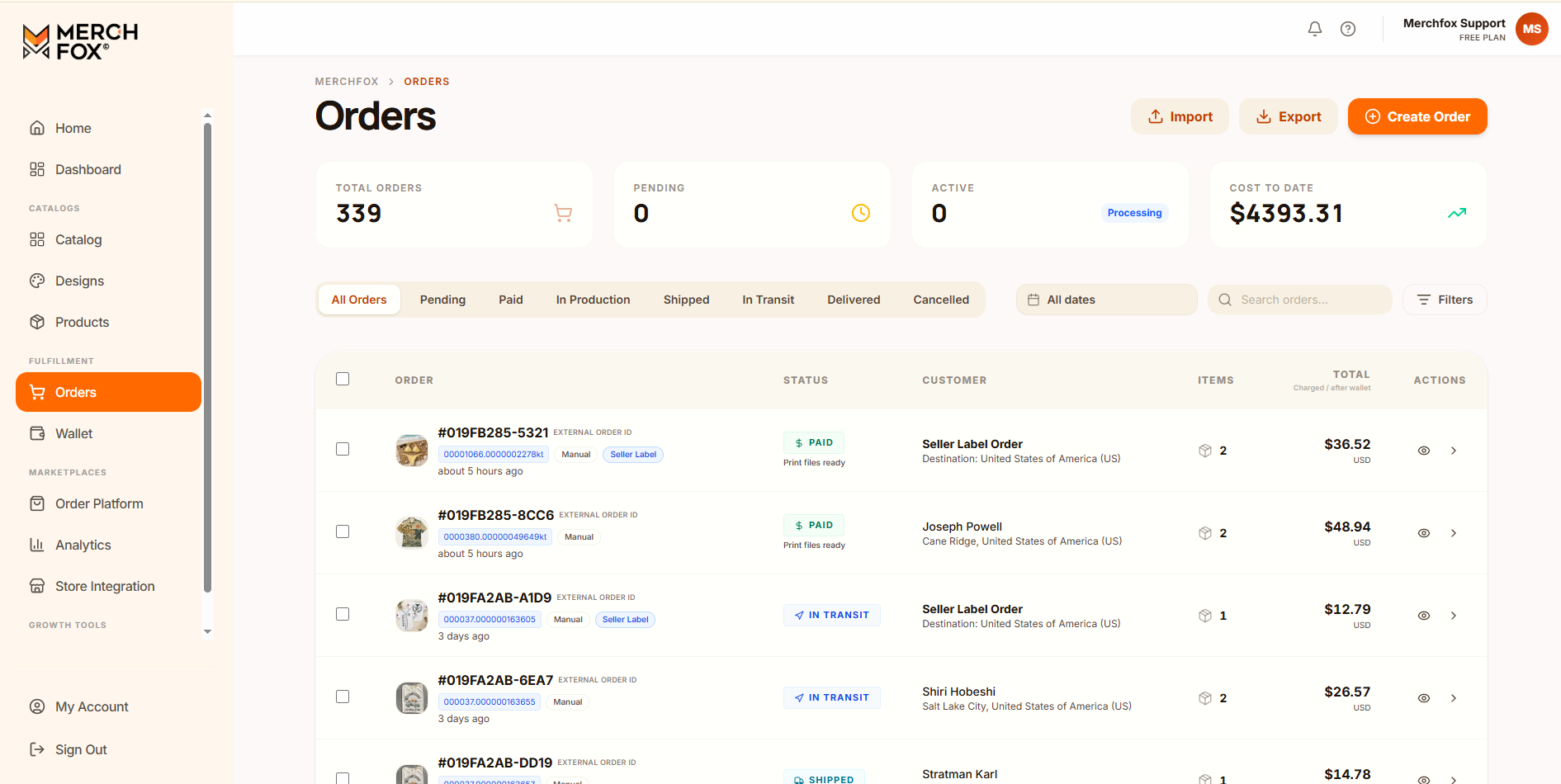
Order Dashboard Overview
The top metrics panel gives immediate operational visibility into high-level order volume and spending metrics:
Total Orders: Aggregated count of all historical orders across connected sales channels and manual uploads.
Pending: Orders awaiting payment, print file attachment, or seller action before entering fulfillment.
Active (Processing): Orders currently being handled by production centers or carriers.
Cost To Date: Total direct expenditure charged to your account or wallet balance for completed transactions.
Filter & Status Navigation
Locate and organize specific orders using status tabs, date ranges, and global search criteria:
1. Primary Status Tabs
All Orders: Displays full order logs regardless of processing state.
Pending: Unpaid orders, orders missing required assets, or orders requiring operational review.
Paid: Orders with settled balances where print files are verified and sent to production queues (Print files ready).
In Production: Garments or items currently in printing, curing, or quality assurance phases.
Shipped: Carrier shipping labels generated; orders dispatched from fulfillment centers.
In Transit: Packages actively scanned and moving within carrier distribution networks.
Delivered: Final carrier confirmation of delivery at destination addresses.
Cancelled: Orders voided prior to fulfillment or refunded due to seller request.
2. Search & Filtering Controls
Date Picker (All dates): Filter order logs by custom date intervals.
Search Bar: Query orders directly using internal MerchFox Order IDs (e.g.,
#019FB285-5321), External Store Order IDs, or Customer Names.Filters Button: Apply advanced conditions (e.g., specific print providers, fulfillment routes, or label types).
Order Management Table
The master list view provides quick operational summaries for each entry:
Order Info: Displays the internal MerchFox Order ID, hyperlinked External Order ID, submission method badges (Manual, Seller Label), and elapsed creation time.
Status Badge: Highlights settlement and asset readiness (e.g., $ PAID / Print files ready, IN TRANSIT, or SHIPPED).
Customer: Displays recipient name, destination city, and destination country.
Items: Quantity indicator showing total physical SKUs included in the order.
Total: Final balance charged to your primary wallet/payment method.
Actions: Quick view toggles to expand order line items inline or navigate directly to full details.
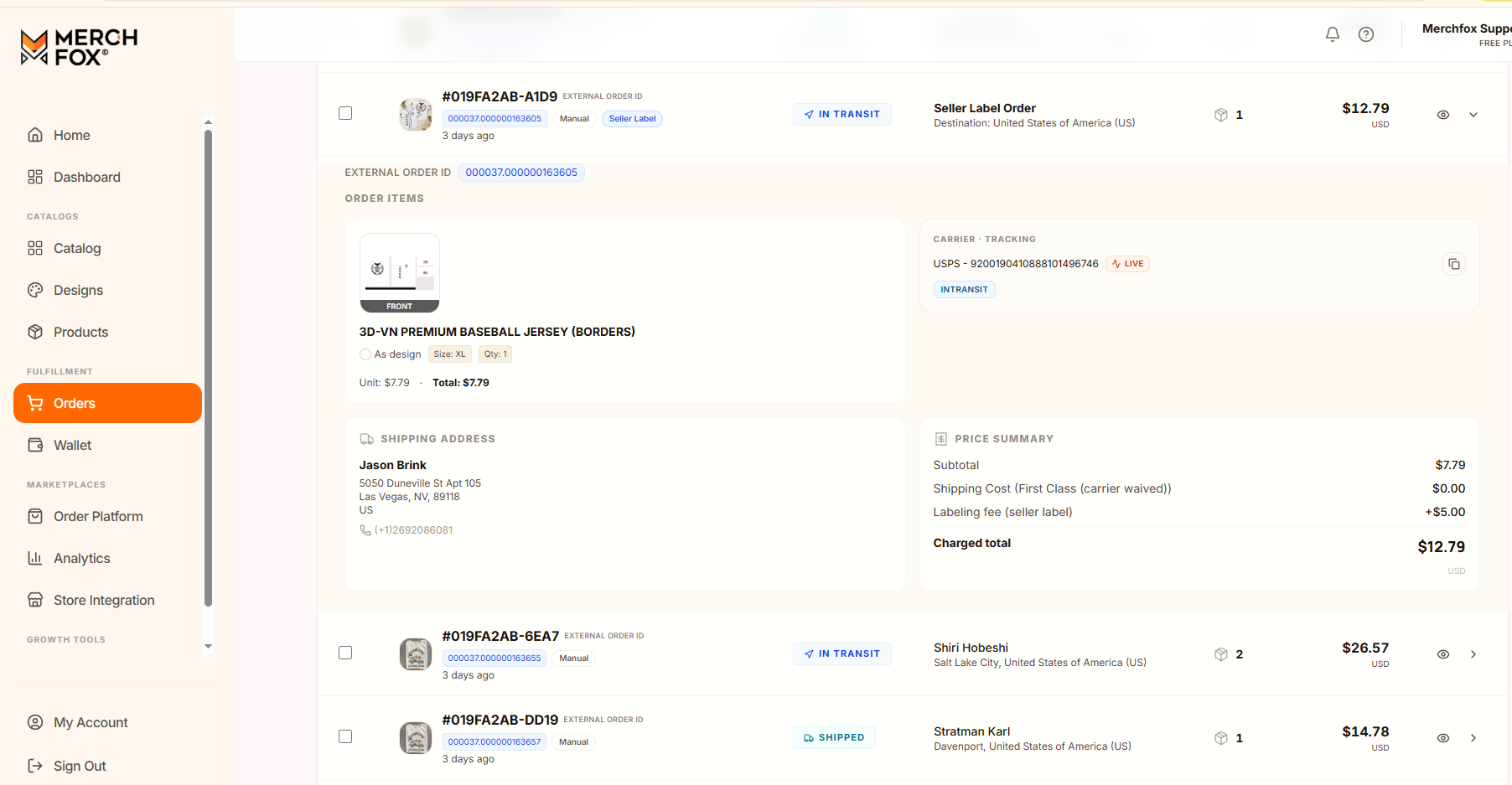
Order Detail View & Line Items
Clicking any order entry opens the complete order management view, detailing fulfillment progression, line items, and shipping parameters:
1. Fulfillment Progress Stepper
A live status bar tracks the order lifecycle step-by-step:
Created $\rightarrow$ Paid $\rightarrow$ In Production $\rightarrow$ Shipped $\rightarrow$ In Transit $\rightarrow$ Delivered
2. Order Actions & Summary
Refund / Cancel: Initiate cancellation or refund requests prior to production lock.
Download Invoice: Generate official PDF financial invoices for record-keeping.
Order Items: Detailed breakdown of items including product mockups, titles (e.g., 3D-VN PREMIUM BASEBALL JERSEY), size matrices (e.g., Size: XL), quantities, printing specifications (e.g., SUBLIMATION), and unit pricing.
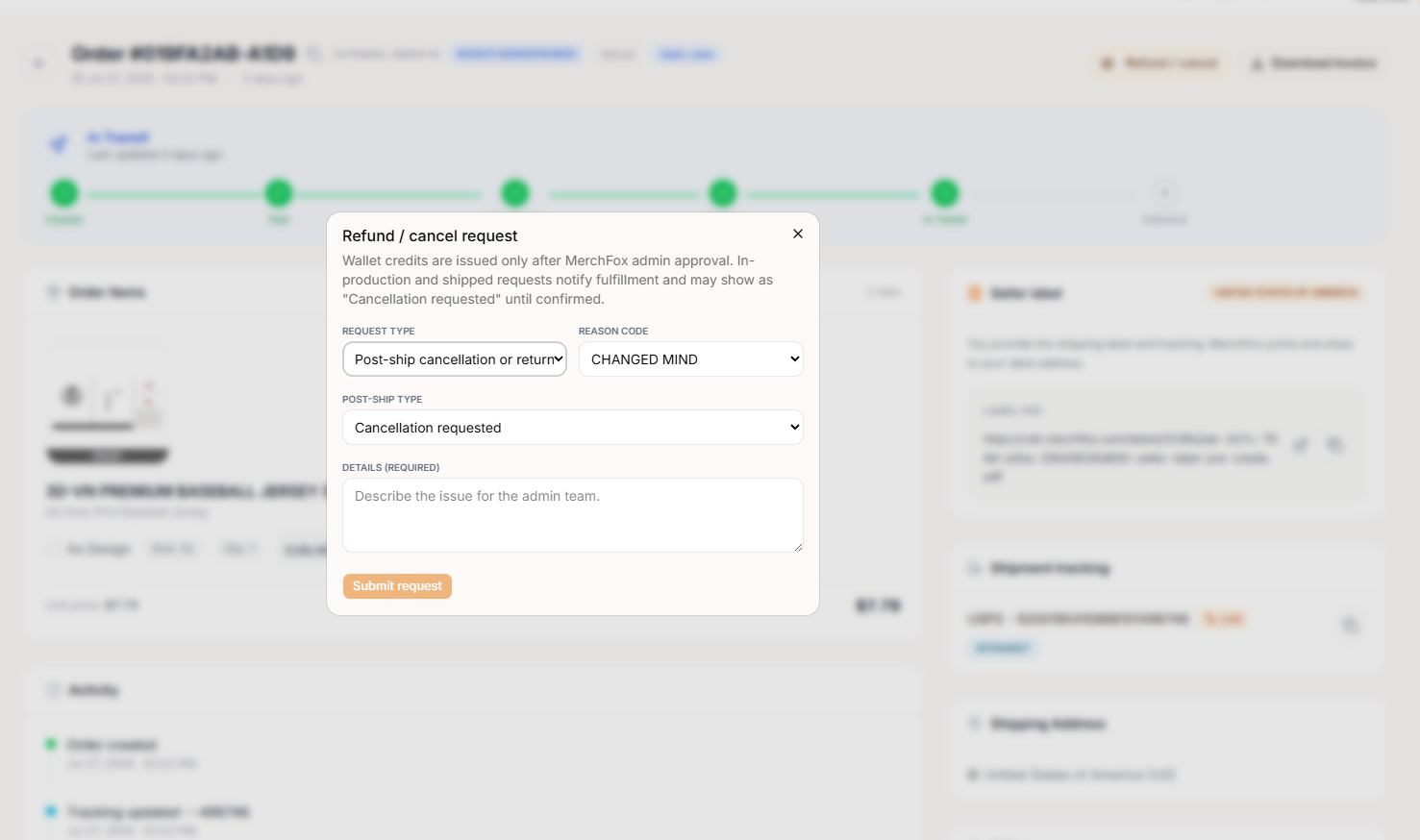
Carrier Tracking & Seller Label Management
MerchFox integrates direct tracking feeds and supports custom shipping labels:
1. Shipment Tracking Panel
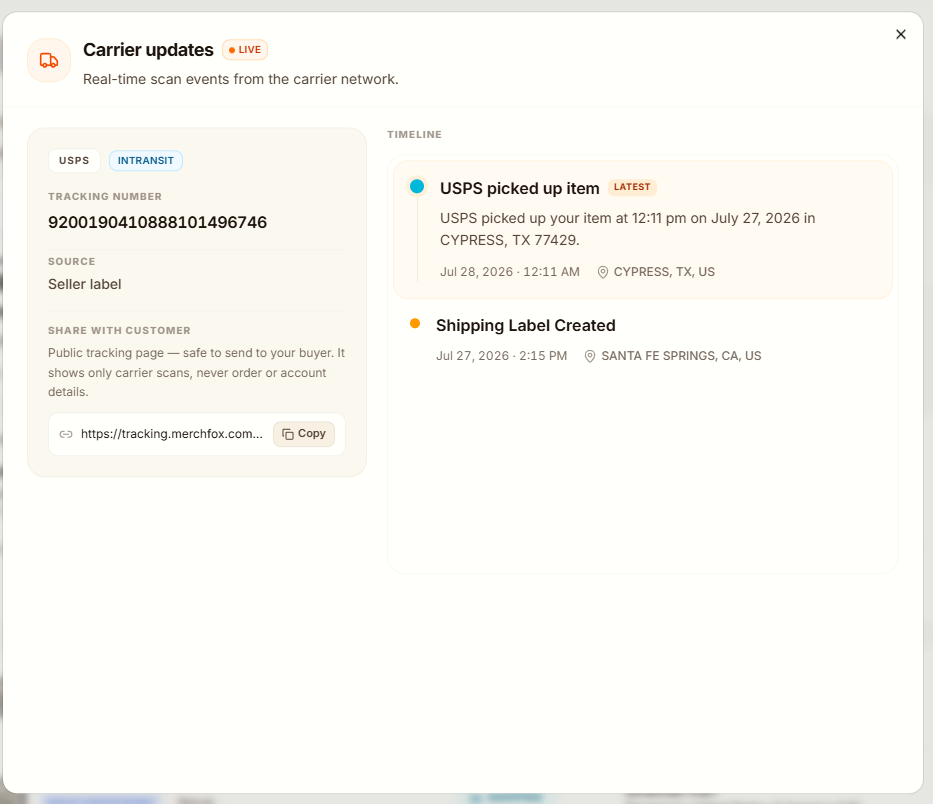
Carrier Details: Displays assigned logistics providers (e.g., USPS) alongside real-time tracking numbers.
Live Status Modal: Click LIVE tracking badges to open real-time scan events directly from carrier networks, complete with milestone timestamps and location logs.
Customer Tracking Link: A public tracking URL (
[https://tracking.merchfox.com/](https://tracking.merchfox.com/)...) is provided. This link is safe to share directly with buyers to display carrier updates without exposing internal account data.
2. Seller Label Integration
Custom Shipping Labels: For workflows where you supply your own shipping label, MerchFox processes printing and packing while sticking your provided shipping label to the package.
Label PDF Management: View, download, or copy direct hosted links to generated shipping label PDFs for verification.
Frequently Asked Questions
What does the "Print files ready" tag indicate under Paid status?
It confirms that artwork files associated with the ordered SKUs meet resolution and placement requirements, allowing the job to move to production without manual asset adjustments.
Can I share the MerchFox tracking link directly with my customer?
Yes. The public tracking link shows carrier scan history only and hides all wholesale pricing, seller account information, and internal vendor details.
Was this article helpful?
Let us know so we can continue improving our help center.