


Welcome to MerchFox! Setting up your account takes less than two minutes. You can register using your email address or sign in instantly with your Google Account. Follow this step-by-step guide to get started.
Method 1: Registering with Email
Step 1: Access the Registration Page
Open your preferred web browser and navigate to merchfox.com.
Click the Sign Up button located at the top-right corner of the homepage to open the account creation page.

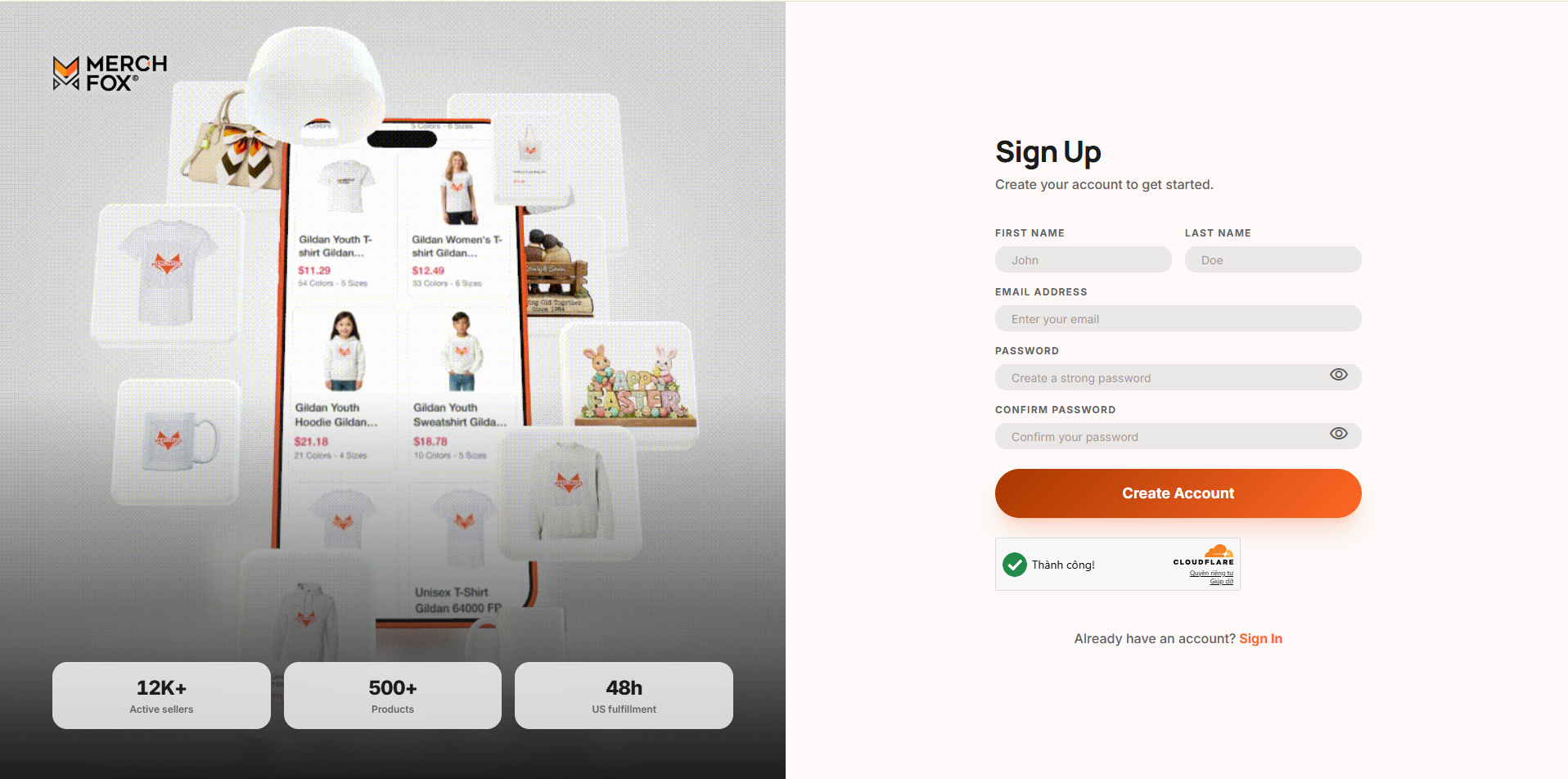
Step 2: Fill Out Your Information
On the Sign Up page, complete the required fields with your account details:
First Name & Last Name: Enter your full legal name or the primary contact name for your business.
Email Address: Enter a valid email address that you check regularly. This will serve as your primary login ID and the channel for order notifications.
Password: Create a strong password. We recommend using a combination of uppercase letters, lowercase letters, numbers, and special characters.
Confirm Password: Re-enter your password to ensure accuracy.
Security Verification: Complete the automated Cloudflare verification check (CAPTCHA) if prompted.
Once all details are filled out, click Create Account.
Step 3: Verify Your Email Address
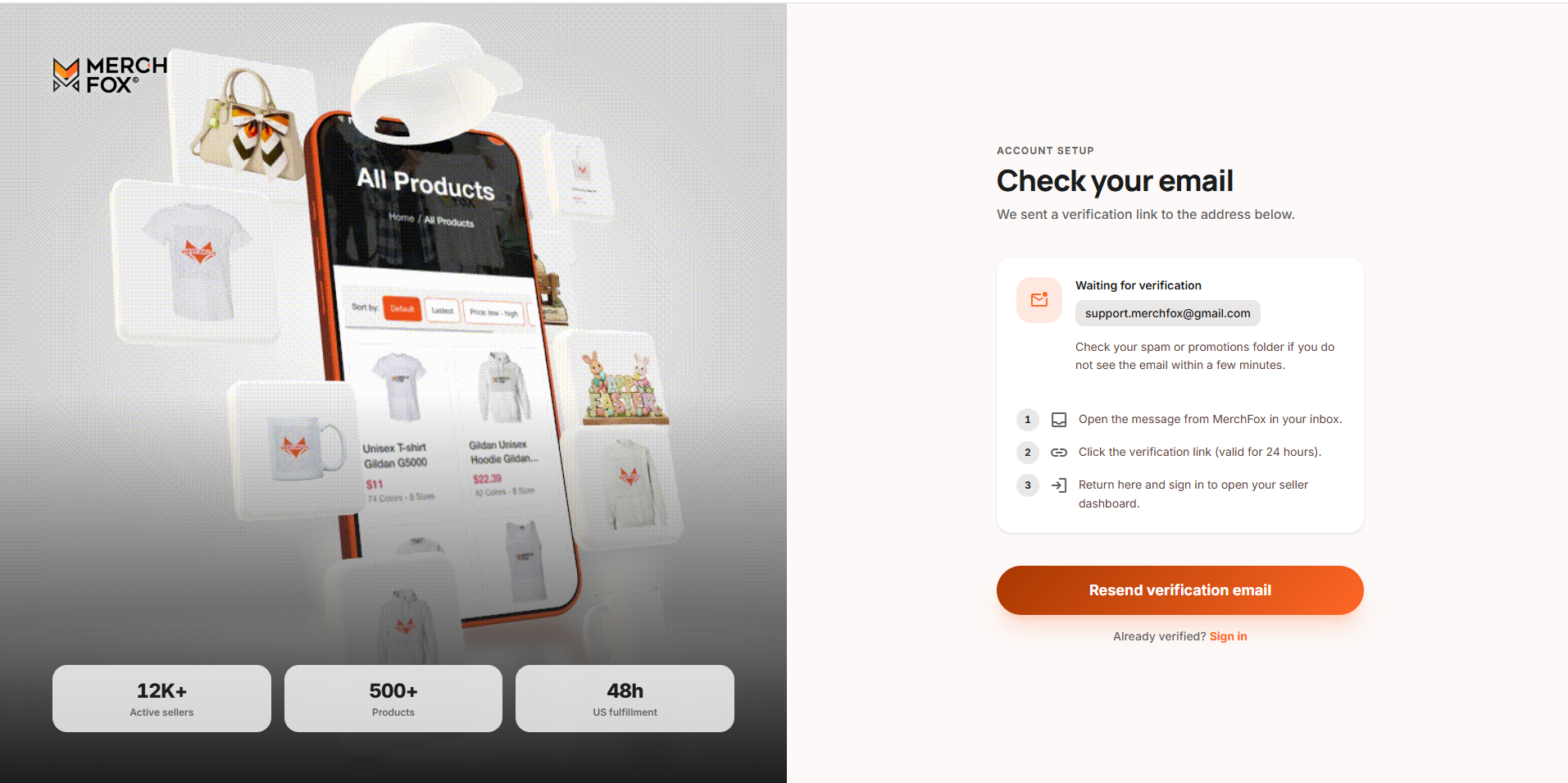
To secure your account and activate full portal access, you must verify your email address before logging in:
Check your email inbox for a verification email sent by MerchFox.
Click the Verify Email link or button inside the message.
If you don’t see the email in your inbox within a few minutes, please check your Spam or Junk folder.
Step 4: Log In to Your MerchFox Dashboard
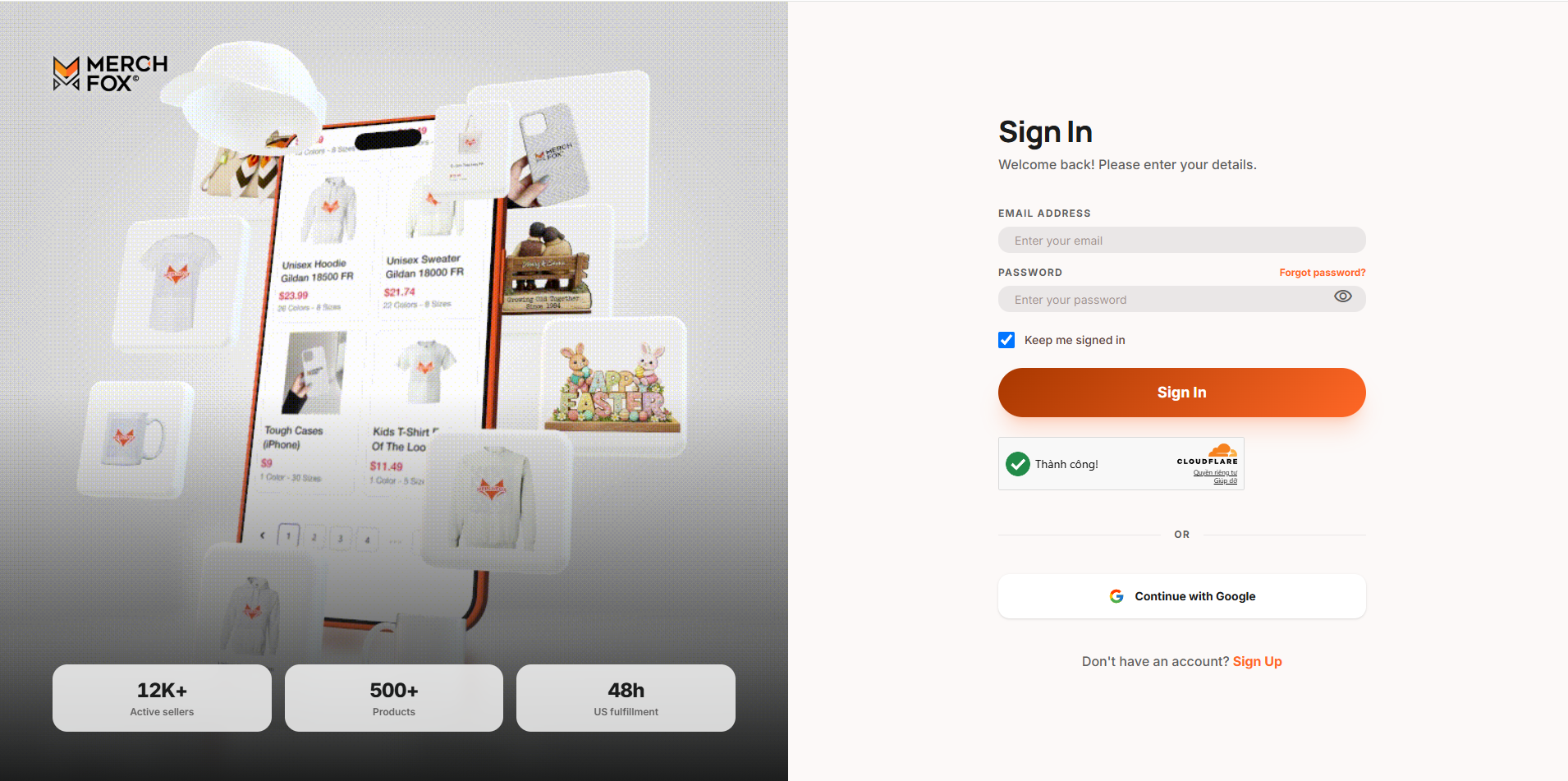
Once verified, return to merchfox.com and click Sign In (or click Sign In at the bottom of the registration page).
Enter your registered Email Address and Password.
Click Log In to access your MerchFox dashboard and begin integrating your stores.
Method 2: Instant Sign-Up / Log In with Google (SSO)
If you prefer a faster setup without managing an additional password:
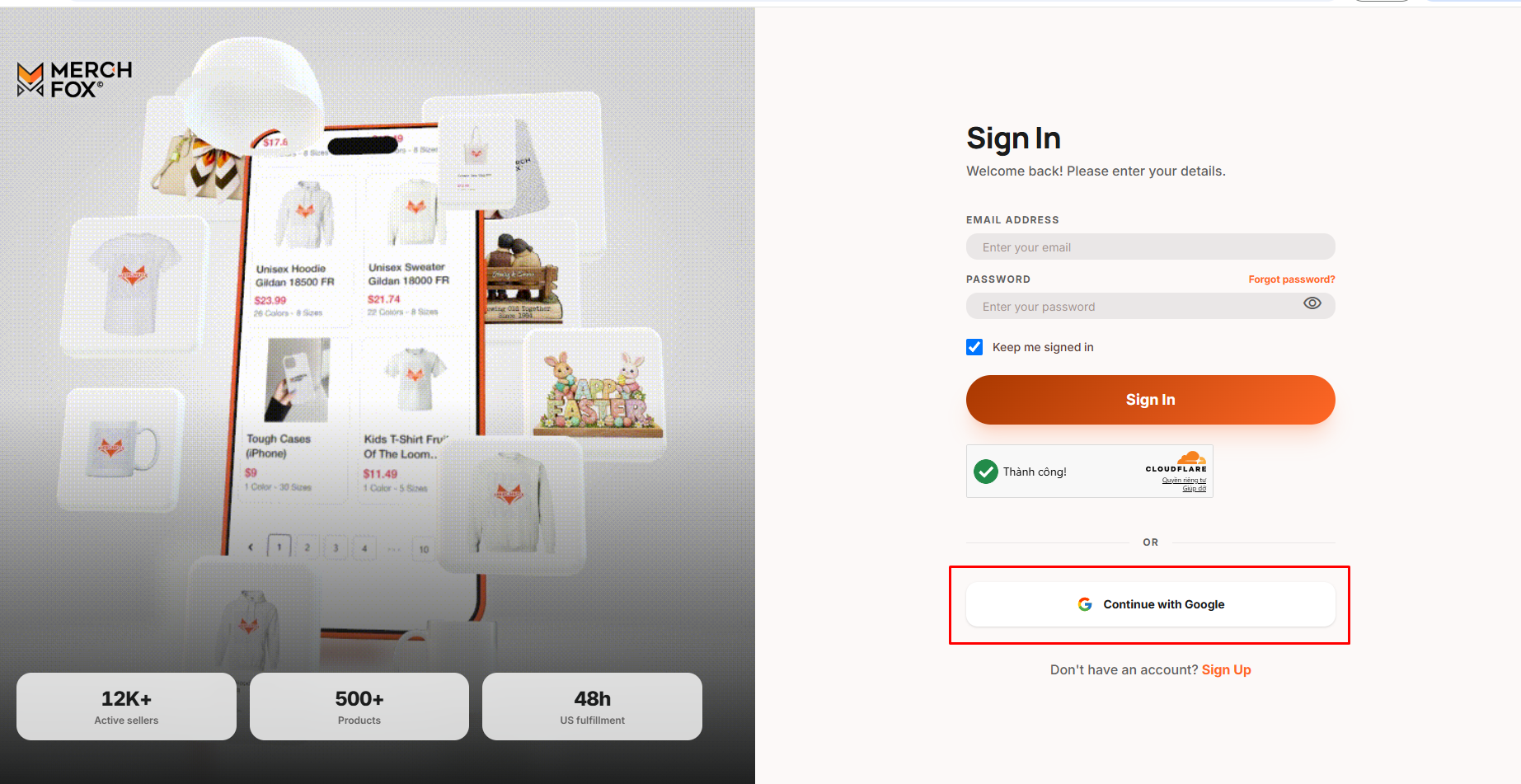
Navigate to merchfox.com and click Sign Up or Sign In.
Click the Continue with Google button.
Select your preferred Google account from the pop-up window.
Authorize MerchFox to connect with your Google Profile.
Note: Signing up via Google automatically verifies your email address, allowing you to access the MerchFox dashboard instantly without waiting for a verification email.
Troubleshooting & Tips
Didn't receive the verification email? Wait 2–3 minutes and refresh your inbox. Ensure your email provider isn't blocking notifications from MerchFox.
Password security: Never share your login credentials. MerchFox staff will never ask for your password.
Need further assistance? If you encounter any issues during registration, please contact our support team at [email protected].
Was this article helpful?
Let us know so we can continue improving our help center.