


Connect your Etsy shop to MerchFox to automate your entire fulfillment flow: orders sync in automatically, we print and ship, and tracking is posted back to Etsy without you lifting a finger. Setup takes about 5 minutes.
In this guide:
How to Connect Your Etsy Shop to MerchFox
How to Connect Your Etsy Shop to MerchFox
1. Before you start
Make sure you have:
An active Etsy shop in good standing. You need to be able to sign in to Etsy.com as the shop owner (or an account with permission to manage apps).
A MerchFox seller account. Sign up free at seller.merchfox.com/app/register.
MerchFox listed as your Production Partner on Etsy. This is required by Etsy for all print-on-demand sellers — see our guide: Selling on Etsy with MerchFox: Compliance & Setup Guide.
One shop per connection. Each Etsy shop connects to MerchFox separately. If you run multiple Etsy shops, repeat the steps below for each one.
2. Connect your Etsy shop
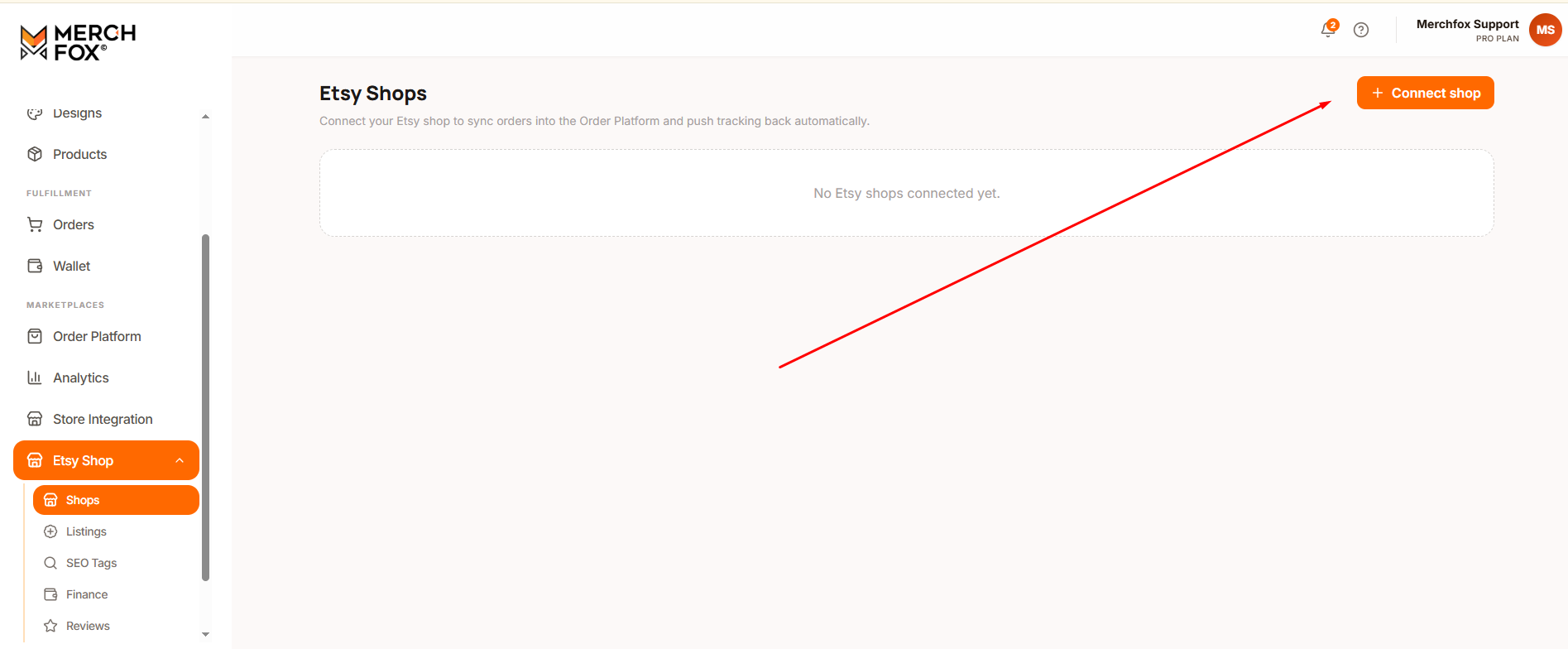
Sign in to your MerchFox dashboard at seller.merchfox.com.
In the left menu, go to Etsy Shop → Shops.
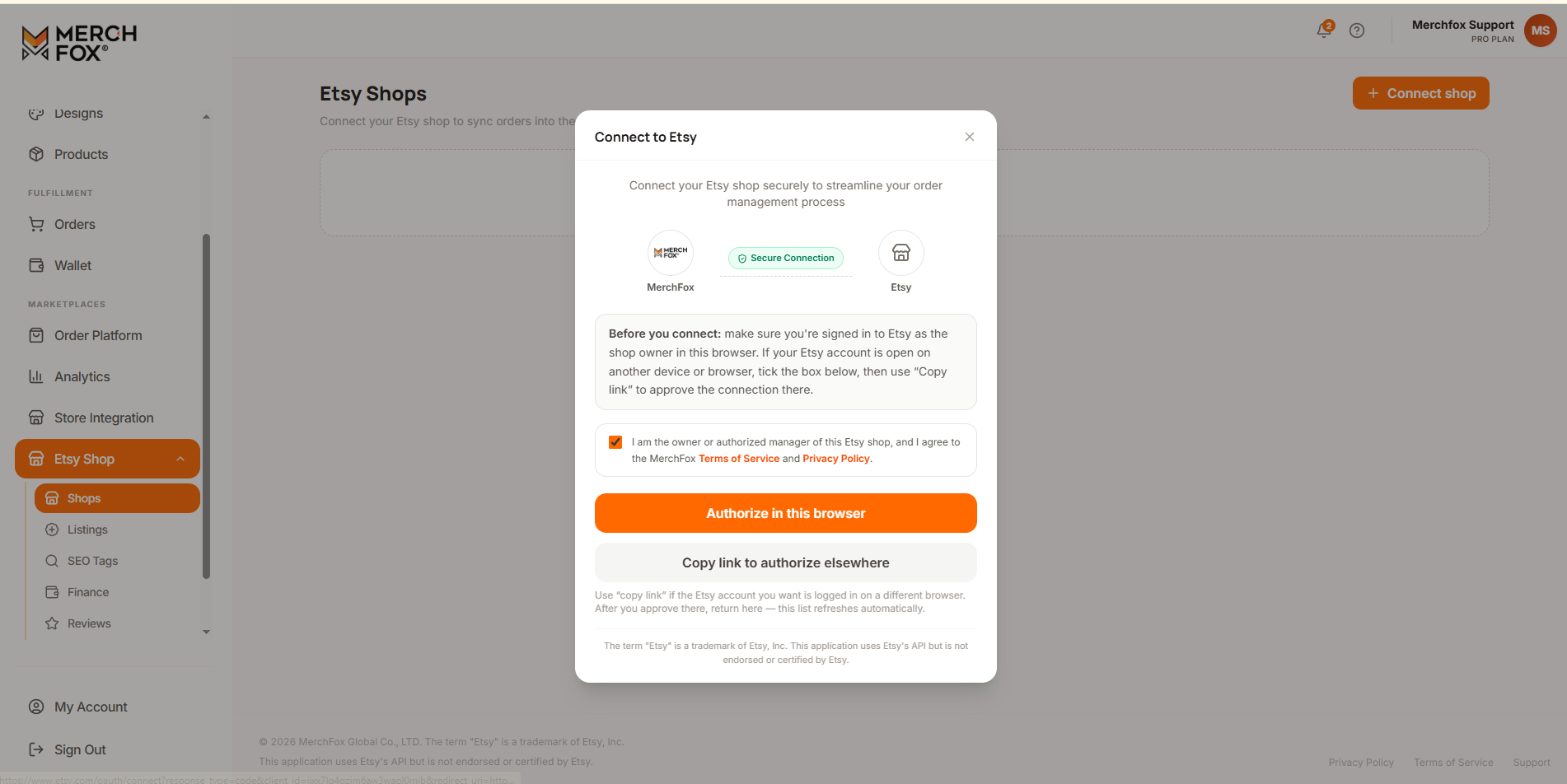
Click + Connect shop.
You'll be redirected to Etsy.com. Sign in to the Etsy account that owns your shop (if you're not already signed in).
Etsy will show you a permissions screen listing exactly what MerchFox is requesting access to:
- Read your orders — so new paid orders can flow into MerchFox for fulfillment
- Update shipping information — so we can post tracking numbers back to your orders
- Create and update listings — so you can publish products from MerchFox to your shop (only when you choose to)
- Read basic shop information — so we can identify which shop the connection belongs to and check your shop's setup (like shipping profiles) before publishing
Review the permissions and click Grant access (label may vary slightly on Etsy's side).
You'll be returned to your MerchFox dashboard automatically. When you see your shop name with an Active status under Etsy Shop → Shops, you're connected.
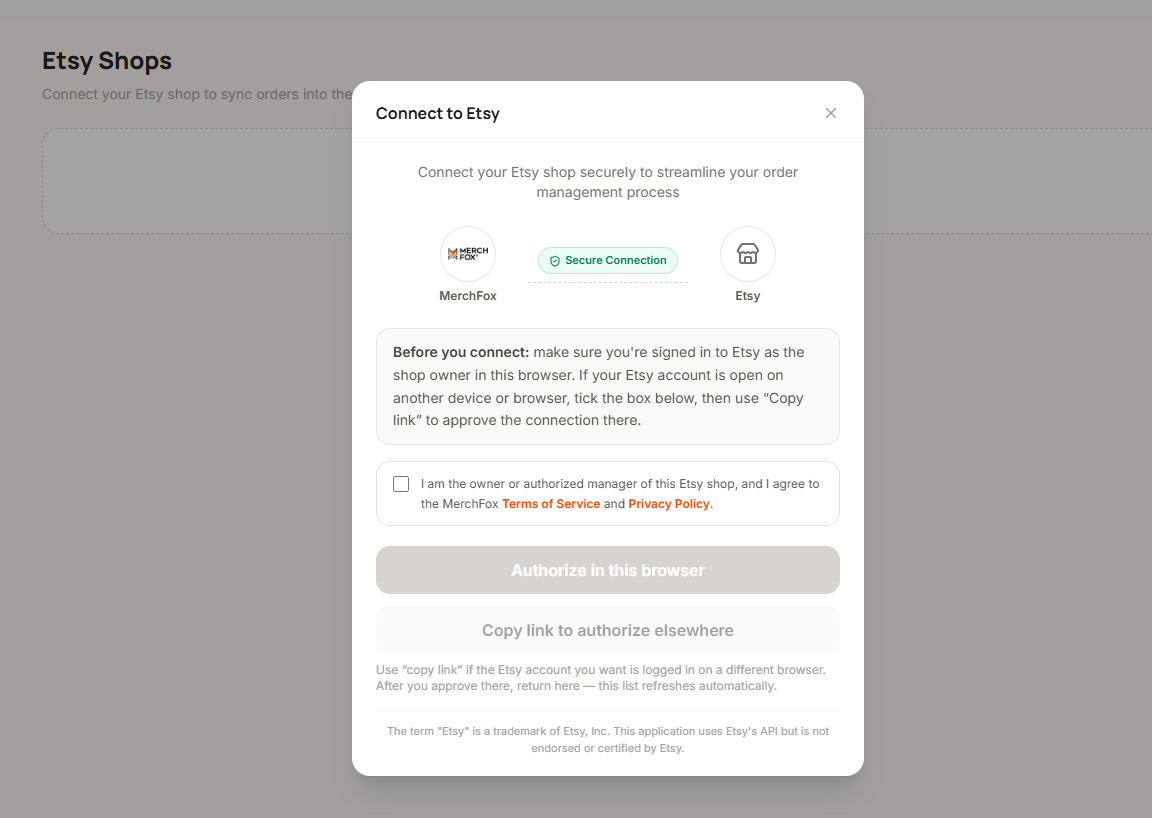
Security note: The connection uses Etsy's official OAuth system. MerchFox never sees or stores your Etsy password — you sign in on Etsy.com, and Etsy issues us a limited access token that you can revoke at any time (see section 6).
3. Check that the connection is active
After connecting:
Go to Etsy Shop → Shops in your MerchFox dashboard. Your shop should show status Active.
On Etsy, you can verify from the other side: Shop Manager → Apps → Connected apps — you'll see MerchFox Fulfillment Integration in the list.
If the status shows Disconnected or Error, see Troubleshooting below.
4. Publish MerchFox products to your Etsy shop
Once connected, you can push products you've created in MerchFox directly to Etsy:
In MerchFox, open Products and select the product you want to list.
Click Publish to channel and choose your Etsy shop.
Review the listing details before publishing:
Title & description — write these yourself; listings that accurately describe your original design perform best and comply with Etsy's guidelines.
Price — you set the retail price; your MerchFox production cost is shown for reference.
Variants — sizes and colors map automatically to Etsy variations.
Production partner — make sure the listing is assigned to your MerchFox production partner profile (see our compliance guide).
Click Publish. The listing is created in your Etsy shop as a draft — nothing goes live until you activate it on Etsy.
Note: Publishing is always initiated by you. MerchFox never creates, edits, or renews listings in your shop automatically.
Etsy listing fees: Etsy charges its standard listing fee (currently $0.20 per listing) when the listing is activated, including listings published via MerchFox. These fees are billed by Etsy, not MerchFox.
5. How orders and tracking sync
With the connection active, the fulfillment loop is fully automated:
StepWhat happensWho does it1Buyer places a paid order in your Etsy shopBuyer / Etsy2Order appears in your MerchFox dashboard (synced automatically at short intervals)MerchFox3Item is printed, quality-checked, and packedMerchFox4Order ships; tracking number is posted to your Etsy orderMerchFox → Etsy5Etsy marks the order shipped and notifies your buyerEtsy
A few details worth knowing:
Only paid, unshipped orders sync. Orders placed before you connected your shop are not imported automatically — contact support if you need help with existing orders.
Buyer notifications come from Etsy. MerchFox never emails or messages your Etsy buyers. Buyer details (name, shipping address) are used only to produce and deliver the order.
Tracking protects your metrics. Prompt tracking upload supports your on-time shipping stats and Star Seller eligibility.
Order edits: if a buyer changes their address or cancels on Etsy before production starts, the change syncs to MerchFox. Once an order is in production, contact [email protected] as soon as possible.
6. Disconnect your Etsy shop
You're in control of the connection and can remove it at any time, from either side:
From MerchFox:
Go to Etsy Shop → Shops
Click the remove icon next to your shop
Confirm. Order syncing stops immediately.
From Etsy:
1. Sign in to Etsy.com and go to your Account settings.
2. Scroll down and select Apps.
3. Open the Connected apps tab.
4. Find MerchFox Fulfillment Integration and select Revoke.
Disconnecting revokes MerchFox's access token on Etsy's side. Orders already in production will still be completed and shipped, but no new orders will sync. Your listings remain in your Etsy shop untouched.
Your data after disconnecting: we retain only what we're required to keep for completed orders (invoicing, warranty, legal obligations) per our Privacy Policy. Etsy data that's no longer needed is deleted.
7. Troubleshooting
The Connect button redirects me to Etsy but I end up back at MerchFox without a connection. Make sure you approved (not dismissed) the permissions screen on Etsy, and that you signed in with the account that owns the shop. Clear your browser cache and try again in a normal (non-incognito) window.
My connection status shows "Error" or "Token expired". Access tokens occasionally need to be refreshed. Click Reconnect on the Etsy Shop → Shops page and re-approve on Etsy. Your settings and product mappings are preserved. Your settings and product mappings are preserved.
New orders aren't appearing in MerchFox. Check that: (1) the connection status is Active, (2) the order is paid and unshipped on Etsy, and (3) the order was placed after you connected the shop. Sync runs at short intervals — allow a few minutes before contacting support.
A listing failed to publish. The error message in your dashboard tells you exactly what's missing and how to fix it. The most common case: your Etsy shop doesn't have a shipping profile yet — Etsy requires one before any listing can be created. Create it in Etsy Shop Manager → Settings → Shipping settings (about 2 minutes), then publish again. Other common causes: a missing required field or an image below Etsy's minimum resolution.
The term "Etsy" is a trademark of Etsy, Inc. This application uses Etsy's API, but is not endorsed or certified by Etsy.
Was this article helpful?
Let us know so we can continue improving our help center.