


Connecting your Shopify store to MerchFox allows you to seamlessly publish custom products, sync inventory, and automate order fulfillment. Follow this step-by-step guide to integrate your Shopify store in just a few clicks.
Prerequisites Before Connecting
Before starting the integration process, ensure that:
You have an active MerchFox account.
You are logged into your Shopify Admin Panel on the same browser as the owner or authorized staff user.
Step 1: Navigate to Store Integration
Log in to your MerchFox Dashboard.
On the left sidebar menu, scroll down to the MARKETPLACES section and click Store Integration.
Under the CONNECT A PLATFORM section, select Shopify and click Manage (or click the + Connect Store button).
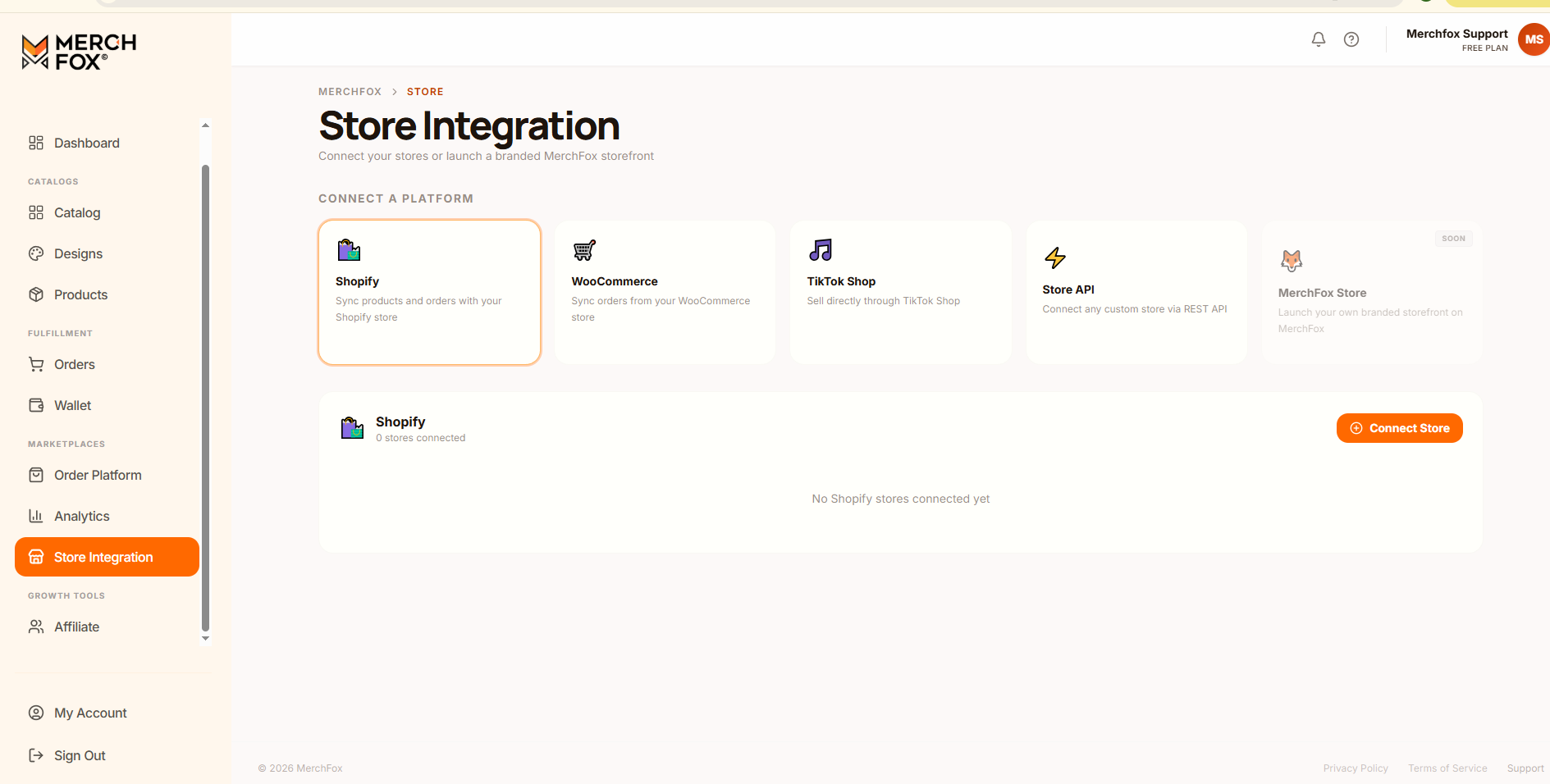
Step 2: Enter Your Shopify Store Details
In the Connect Shopify Store setup card, fill in the required fields:
Store Name (optional): Enter a recognizable nickname for your store (e.g., My Print Shop) to help identify it if you manage multiple storefronts.
Shopify Domain URL: Enter your official Shopify store domain URL (e.g.,
mystore.myshopify.com).
Review the entered URL to ensure accuracy, then click Authorize with Shopify.
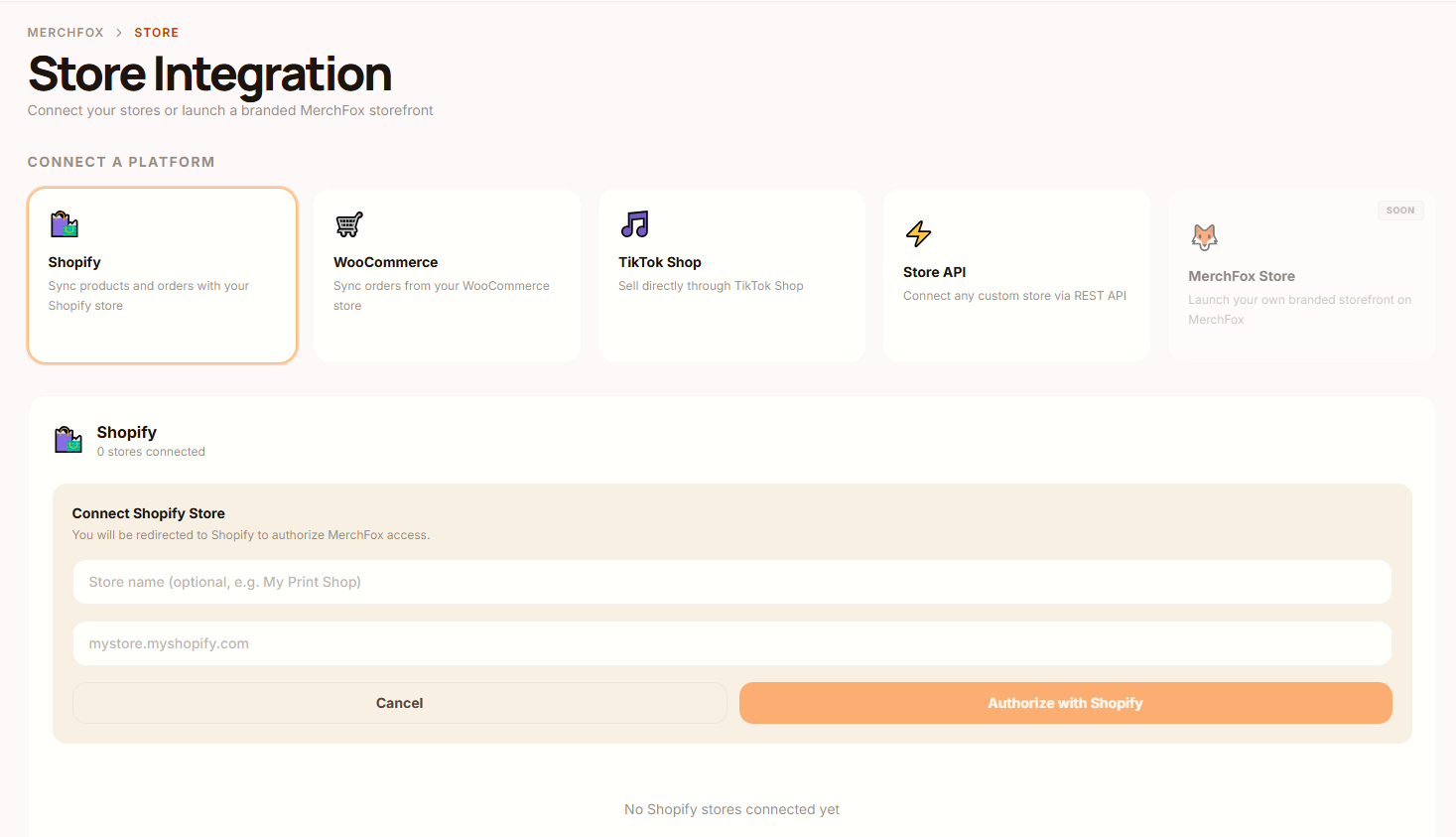
Step 3: Grant Permissions on Shopify Admin
After clicking Authorize with Shopify, you will be redirected automatically to your Shopify Admin portal.
Review the requested app access permissions (such as order management, product creation, and inventory sync).
Click Install App (or Authorize) in Shopify to grant MerchFox access.
Step 4: Complete Integration & Syncing
Once permission is authorized:
You will be redirected back to the MerchFox Store Integration page.
Your connected shop will now appear under the Shopify connected store list with an Active status.
You can now publish products directly from MerchFox to your Shopify store and automatically route incoming customer orders for fulfillment.
Frequently Asked Questions
Can I connect multiple Shopify stores to a single MerchFox account?
Yes! You can repeat the connection steps above to authorize multiple Shopify storefronts under your MerchFox profile.
Where can I find my
.myshopify.comdomain URL?Log in to your Shopify Admin. Look at your browser address bar or check Settings > Domains in your Shopify admin panel to locate your primary
.myshopify.comhandle.How do I disconnect a Shopify store?
To disconnect a store, navigate to Store Integration > Shopify, locate the connected store in your list, and click Disconnect or Remove. You can also uninstall the MerchFox app directly from your Shopify Admin under Apps.
Was this article helpful?
Let us know so we can continue improving our help center.